 Indian in Saudi Arabia
Updated · indianinsaudi · Technology · 4 min read
हिन्दी में पढ़ें →Salam Balance Check Code (*103#), Number Check & Recharge Code KSA
Salam Mobile KSA: dial *103# for balance and data, *107# for your own number, *101*voucher# to recharge, or use the My Salam Mobile app. Customer care 1101.
Quick answer: To check your Salam Mobile balance and data in Saudi Arabia, dial *103# from your Salam SIM and press call. It is free and needs no internet. You can also see your balance and usage in the My Salam Mobile app. To check your own Salam number, dial *107#. To recharge with a voucher, dial *101*voucher number#. Customer care is 1101 (from abroad +966511011101).
Last checked: November 2026 against Salam’s official help pages and its official recharge partner instructions.
Salam Mobile codes at a glance
| What you want | Code / method | Notes |
|---|---|---|
| Balance and data check | *103# | Free, works without internet. Widely used; Salam’s own site points to the app |
| Balance, usage and validity (full view) | My Salam Mobile app | Official. Works on Wi-Fi, even outside Saudi |
| Check your own Salam number | *107# | Widely used; not listed on Salam’s site |
| Recharge with voucher (coupon) | *101*voucher number# | Given on official Salam voucher instructions |
| Recharge online | My Salam Mobile app or Salam’s “Top-up my account” page | Pay by Mada, credit card or SADAD |
| Customer care inside KSA | 1101 | Official |
| Customer care from abroad | +966511011101 | Official |
Codes marked “widely used” work for most Salam users, but Salam does not publish a USSD code list on its own website. If a code does not respond, open the app or call 1101.
Salam balance check: 3 ways
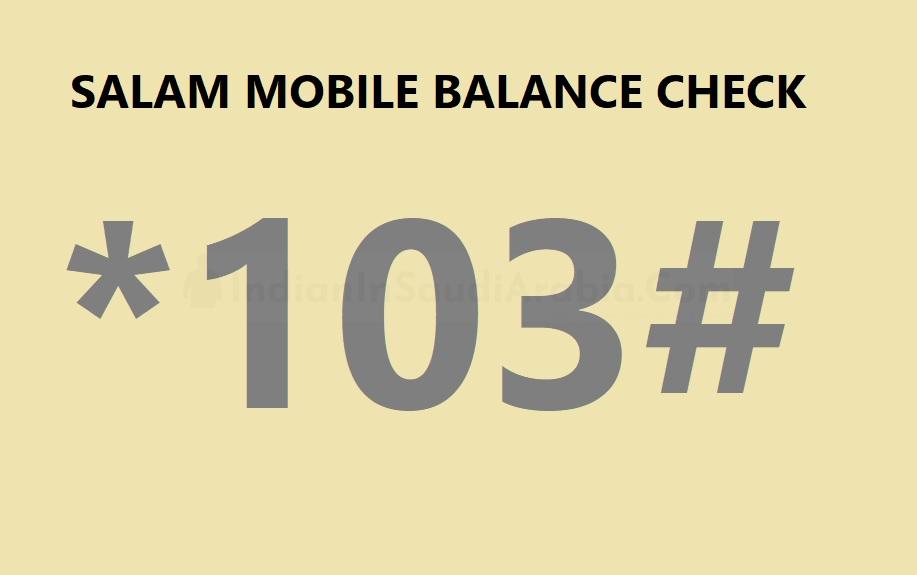
1. Dial *103# (fastest)
- Open your phone dialler. On a dual-SIM phone, pick the Salam line.
- Dial *103# and press call.
- Your remaining credit, data and validity appear on screen in a few seconds.
2. My Salam Mobile app (most detail)
Install the My Salam Mobile app from Google Play or the App Store and log in with your Salam number. Salam says the app shows how much data and how many minutes you have used and how much is left. Because the app works over Wi-Fi, it is the best way to check your balance when you are outside Saudi Arabia (USSD codes only work on the network inside the Kingdom).
3. Call 1101
Call 1101 from your Salam line and ask the agent for your balance. From another network or from abroad, call +966511011101.
Salam data (internet) balance check
You do not need a separate code for data. *103# shows your internet balance together with your credit. For a breakdown by bundle (local data, social data, roaming), the app is clearer.
Salam number check: find your own number
- Dial *107# from the Salam SIM. Your number is shown on screen.
- Open the My Salam Mobile app. Your number is on your account page.
- Check your SIM pack or call 1101.
- Lost track of SIMs? See all lines on your Iqama with the SIMs registered on your Iqama check (CST’s free service).
Salam recharge code and other ways to top up
| Method | How |
|---|---|
| Voucher code | Dial *101*14-digit voucher number# and press call |
| Call 1101 | Choose recharge from the menu and enter the voucher number |
| My Salam Mobile app | Log in, tap recharge, pay by Mada or credit card |
| Salam website | Use “Top-up my account” on salam.sa and enter your number |
| Store or 24-hour machine | Salam stores and self-service machines also take top-ups |
Salam lists credit card, Mada, SADAD and cash as payment methods.
Salam Mobile customer care
- Inside KSA: 1101
- From abroad or another network: +966511011101
- Stores: use the store locator on Salam’s website. Stores handle new SIMs, activation, bill payment, top-up and lost SIM replacement.
Register or activate a Salam SIM
You need your Iqama, an active mobile number (or email) and your Absher login for verification. A SIM bought in a Salam store is already active. A SIM bought online is activated in the My Salam Mobile app: choose “Activate your SIM”, enter your details, verify through Absher and scan the SIM. You have 30 days to activate a new prepaid number.
Salam Mobile runs on Zain’s network, so coverage is the same as Zain’s.
FAQ
What is the Salam balance check code? Dial *103# from your Salam SIM. It is free and shows credit and data together.
*103# is not working. What should I do? Check that you dialled from the Salam line, restart the phone and try again. If it still fails, use the My Salam Mobile app or call 1101.
How do I check Salam balance from outside Saudi Arabia? Use the My Salam Mobile app on Wi-Fi. USSD codes do not work abroad.
Is Salam the same as Zain? No. Salam is a separate company, but its mobile service uses Zain’s network.
What is the Salam customer care number? 1101 inside Saudi Arabia, +966511011101 from abroad.
Related guides
- All Saudi SIM codes: STC, Mobily, Zain, Lebara, Virgin, Red Bull, Salam
- Check SIMs registered on your Iqama
- Red Bull Mobile balance and number check
References
- Salam, Mobile FAQs (payment methods, activation, stores, Zain network, contact numbers), checked 22 Nov 2026
- Salam, Download the My Salam Mobile app (usage check), checked 22 Nov 2026