How to Check Iqama Expiry Date Online in Saudi Arabia
The Iqama is the ID issued to expat workers in Saudi Arabia to allow them to live and work there. Iqama expiry dates can be checked through an Absher account or even without one on the Wazarat Amal website. This article explains four different ways one can check the Iqama expiry date.
How to Check Iqama Expiry on Absher Portal

To Check the validity of your Iqama on the Absher portal, Follow below procedure
-
Visit Absher Individual: https://www.absher.sa/wps/portal/individuals
-
Log in with your username or Iqama and password.
-
Enter the OTP received via SMS on your registered mobile number.
-
Click on the “Query Iqama Expiry Service” option in the Dashboard.
-
Enter Iqama Number whose Validity is to be checked. Enter Image Code.
-
Click on View. The Iqama validity will be displayed as shown below.

How to Check Iqama Expiry Date on Iqama Card
The Iqama Expiry Date is mentioned on your Digital Iqama Card that you can access via Absher Portal. Simply login to your Absher Account and Click on “View Digital Documents” as shown below.

How to Check Iqama Expiry On Wazarat Amal (MOL Portal)
It is possible to check the Iqama expiration date without using the Absher platform through Wazarat Amal or Ministry of Labor Website
-
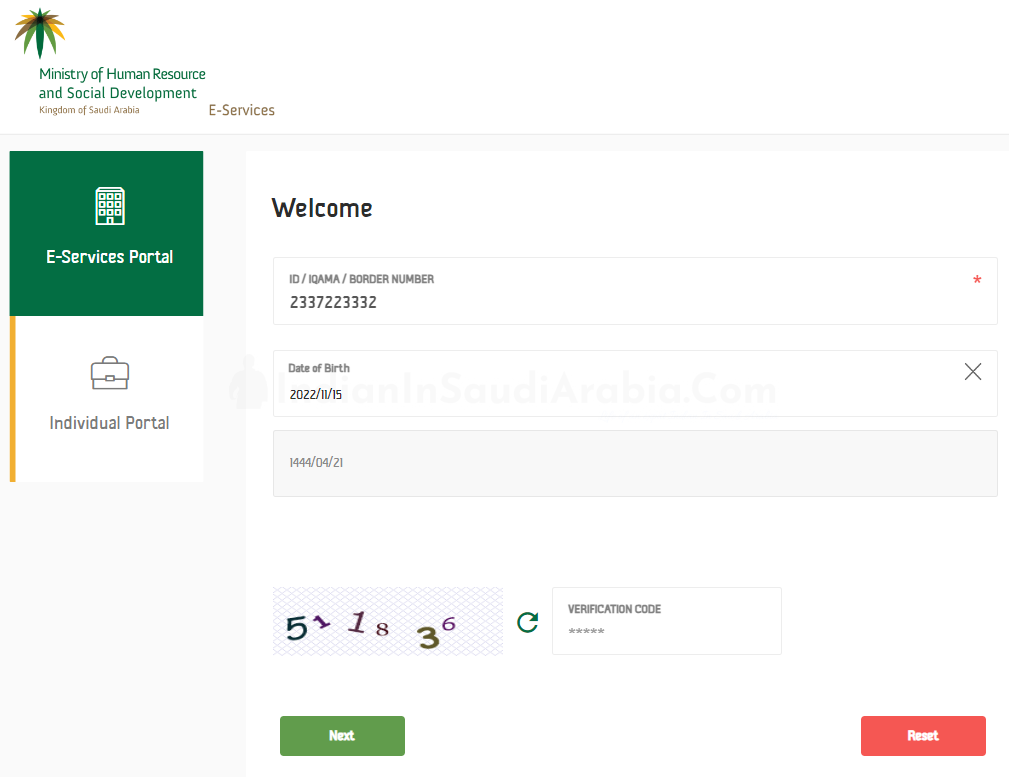
Visit Wazarat Amal website: https://www.mol.gov.sa/IndividualUser/BasicInfo.aspx
-
Select language: English, Arabic, or Urdu
-
Enter your “Iqama Number.”
-
Select your Date of Birth in Gregorian or Hijri calendar format.
-
Enter the image code and click on the “Next” button.
-
On the next page, you can view the Iqama Expiry Date.
How to Check Iqama Expiry Through Absher Mobile App
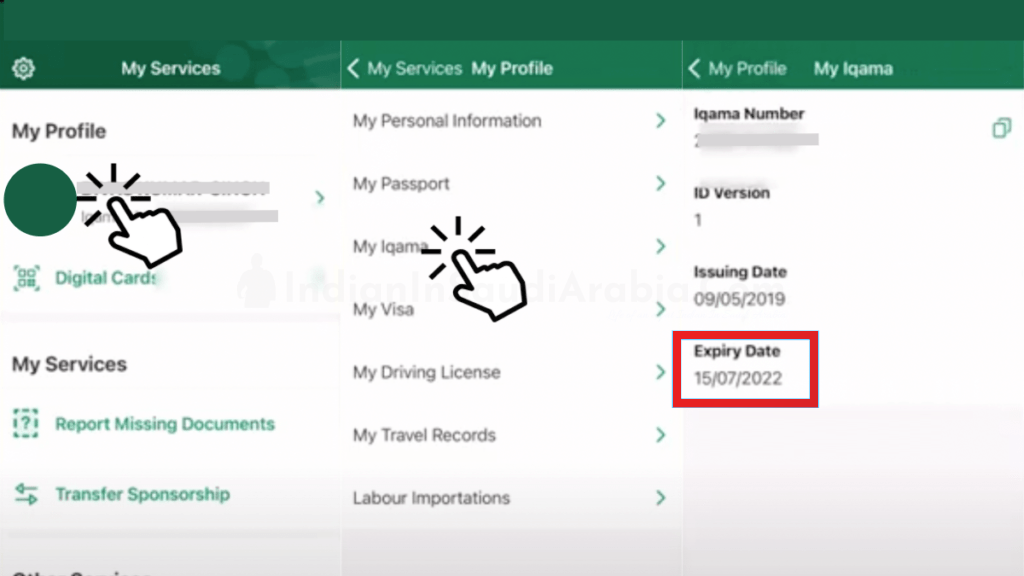
To check the expiry date of your Iqama using the Absher app, install the official Absher app from the Google Playstore or Appstore. After logging in, tap on “Profile” in My Services, and then tap “My Iqama.” You will be able to see the Iqama Expiry Date
💬 Join Our WhatsApp Community
Get updates, ask questions, and connect with fellow Indians in Saudi Arabia.
Join Now →